
Personal Account MTS Internet and television. How to enter your personal account under a contract?
Many MTS clients after connecting home Internet and TV are wondering - how to register a personal account? Our article will tell about this.
Navigation
A personal account that allows you to control your MTS Internet account and television is very popular among Russian residents due to its convenient use.
Previously, this service was called "stream", but today it exists under the name "Home Internet and Television of MTS." It is worth saying that the site used earlier for the entrance can also be used.
- Internet
The company has developed a whole line of tariff plans today. The cost and traffic depends on the connection region. On the official portal, you can see what tariffs are in your area.
- A television
- Subscribers who have connected digital television have the opportunity to view more than 190 channels. Moreover, the quality of the broadcast does not affect the speed of the Internet
- Thanks to the large selection of tariffs, you get the opportunity to choose the optimal package for yourself
- Today, MTS has such a service called “Personal TV”, which allows you to independently choose those channels that are interesting to the subscriber
- Moreover, customers have the opportunity to use a number of useful additional services
- For example, the "Digital Multiple" service allows you to connect television to several TVs at once. In this case, payment will be charged only for one package
How to connect to home Internet and TV?
For registration on the site, you need to perform several simple steps:
- Enter the official portal of the company and click the "Personal Account"
- In the falling menu, go to the line "Home Internet and TV". Next, click on the registration line
- You will be invited to enter the following information:
- Legal status
- Passport data
- Security Code
After that, select “Register” and you will receive a letter with a login and password by mail.
How to enter your personal account?
If you are already registered, then you can go into the office like this:
- Go to the official website of the company
- Go to the section for self -service
- Click on the entrance button
- In the form provided, enter the login and password
The main menu of the user
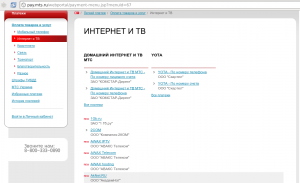
When you enter your personal account, you will get access to the management of services:
— Information about the balance. You can replenish, control expenses, balance and order details
— Pay services - replenishment is carried out in any convenient way, and you also receive a check on payment in electronic form
— Internet. Here you can see information about the network, connection, and also choose another tariff or activate additional services
— Digital TV. Control options and connect the channels you are interested in
— bonus program. You can save and exchange bonus points for various services
— Services. Directed Options Management section
— Promised payment. You can connect the service and use the Internet even with zero balance
What to do if you forgot the password?
- If you have lost or forgot a password or login from your personal account, then it is possible to restore it. But you have to spend some time on it
- Enter the main page of the entrance, but instead of entering a login and password, select data recovery. You will need to enter your username, personal account or phone number
- If you cannot provide this data, then you need to contact any MTS branch with a passport or send them an electronic application by mail